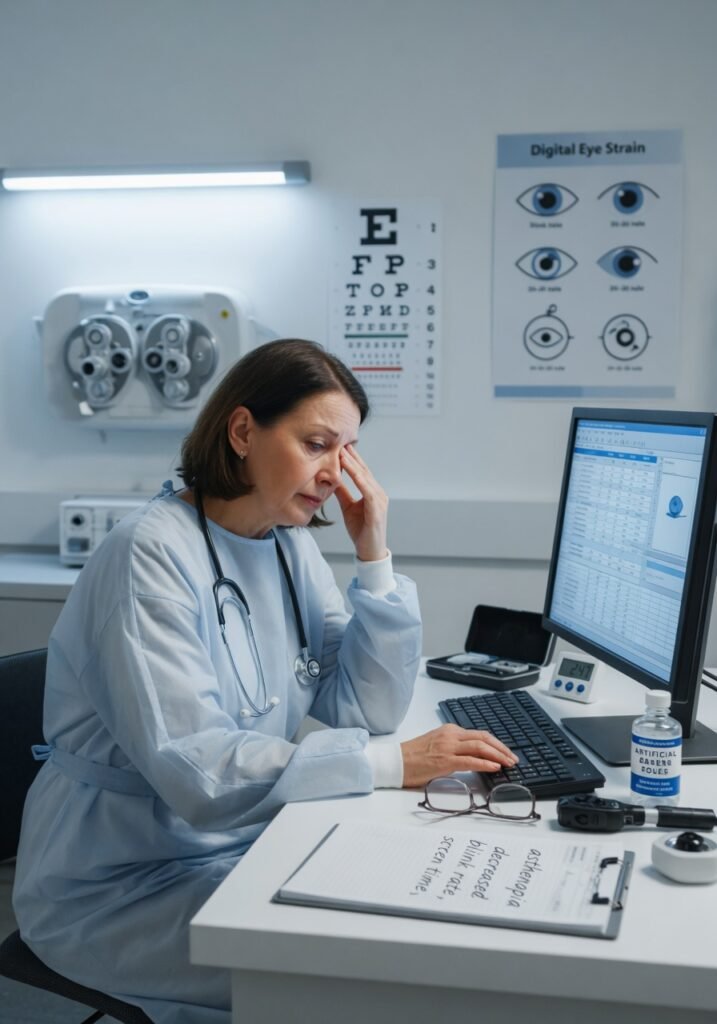

Is your eye strain really just tired eyes, or is something else happening?
Sarah, a 34-year-old marketing manager, spent most of her workday staring at spreadsheets. By 3 PM, her eyes felt like they had sand in them. She’d rub them, blink hard, and shift her monitor position—nothing helped. She assumed everyone’s eyes hurt after eight hours of screen time. Six months later, her optometrist told her something that surprised her: Sarah’s strain wasn’t inevitable. It was biomechanical, reversible, and she’d been making it worse without realizing it.
Digital eye strain—also called computer vision syndrome—affects somewhere between 50 and 90 percent of computer workers, depending on which study you read. But here’s what most people get wrong: it’s not a disease. It’s your visual system protesting against unnatural demands. Your eyes didn’t evolve to lock onto a glowing rectangle 20 inches away for hours at a stretch. When you understand what’s actually happening inside your eyes, you can fix it.
Key Facts About Digital Eye Strain
- The American Academy of Ophthalmology reports that 59 percent of American adults experience digital eye strain symptoms, with rates climbing since 2015.
- People blink 66 percent less frequently when looking at screens compared to other tasks, dropping from roughly 15-20 blinks per minute to 5-8 blinks per minute.
- Symptoms typically emerge after 2-3 hours of continuous screen exposure without breaks, but can develop in as little as 45 minutes in susceptible individuals.
- Accommodation lag—your eye’s inability to quickly refocus between near and far distances—is a primary driver of strain that improves with the 20-20-20 rule.
- Screen distance matters: viewing a screen closer than 20 inches increases strain risk by approximately 40 percent compared to optimal viewing distance of 20-28 inches.
Understanding the Mechanism: What’s Actually Happening in Your Eyes
Think of your eyes as a camera with a motorized focus ring. That ring—controlled by the ciliary muscle—automatically adjusts your lens shape dozens of times per minute when you’re looking around at varying distances. Now imagine someone forced that camera to maintain the exact same focus distance, without moving, for eight hours. The motor gets tired. It starts to fatigue and overshoot slightly.
That’s digital eye strain in physiological terms. Your ciliary muscles sustain isometric contraction—similar to holding a weight in a fixed position. They fatigue. Simultaneously, your reduced blink rate means your tear film breaks down faster, leaving the eye surface more exposed and irritated. Your pupils constrict slightly under screen light, your neck flexes forward imperceptibly, and your accommodative amplitude—your eye’s ability to shift focus—declines with each passing hour. By late afternoon, your eyes feel exhausted even though you haven’t done anything physically demanding.
Add in blue light wavelengths from screens (which some research suggests may suppress melatonin production and increase perceived glare) plus the static posture most people adopt, and you’ve created a perfect environment for ocular surface disease, neck tension, and headaches.
Causes and Risk Factors: Why You’re Affected More Than Your Colleague
Screen time is the obvious culprit, but it’s not the whole story. Some people work eight hours daily at computers without symptoms, while others struggle after two hours. The difference lies in several interacting factors.
Viewing distance and angle matter far more than most realize. If your screen sits below eye level—a common setup—you’re gazing downward, which increases the exposed surface area of your eye and accelerates tear evaporation. Ideally your screen should sit at or slightly below eye level, roughly 20-28 inches away, with the top of the screen at approximately 15-20 degrees below horizontal gaze.
Uncorrected or incorrectly corrected refractive error is a major player. If you have mild myopia, hyperopia, or astigmatism you’ve compensated for in other contexts, the static viewing distance of screen work suddenly demands precise focusing. Your brain recruits extra accommodative effort to maintain clarity. This is particularly true if you’re wearing a prescription designed for distance vision while working at near distance.
Dry eye disease amplifies strain significantly. Sjögren’s syndrome, post-menopausal hormone changes, thyroid disorders, and certain medications (antihistamines, decongestants, antidepressants) all reduce tear production. When tear quality or quantity declines, the corneal surface becomes inflamed, and your eye sends pain signals that masquerade as fatigue.
Environmental factors—humidity, air circulation, and room lighting—influence symptom severity more than people acknowledge. Air conditioning and heating systems reduce ambient humidity. Indoor air circulation blows directly at the eyes, accelerating tear evaporation. Poor lighting forces your pupils to work harder to gather light information.
Here’s the factor most articles skip: your baseline accommodation amplitude matters. As you age, your lens becomes less flexible. By age 45, most people lose enough accommodative ability that near work becomes genuinely more strenuous. A 50-year-old and a 25-year-old doing identical computer work experience different physiological demands.
Signs and Symptoms: What You’ll Actually Feel
Early warning signs often start subtly. You might notice your eyes feel slightly dry by mid-morning, or you squint without realizing it when reading text. Your eyes may feel “tired” or “heavy,” not painful. Some people describe a grainy sensation or notice their vision blurs momentarily when they look away from the screen.
As strain progresses, you’ll experience sharper discomfort—a burning sensation, itching, or the feeling of something in your eye despite nothing being there. Your eyes might water excessively (paradoxically, dry eyes trigger reflex tearing). Headaches concentrated in the frontal or temporal regions frequently accompany eye strain. Some people develop neck and shoulder tension from the forward head posture that accompanies screen work.
The key distinguishing feature: symptoms worsen throughout the day and improve when you stop looking at screens. True eye disease typically doesn’t follow this pattern. The fact that your eyes feel better on weekends is actually diagnostic—it tells you this is functional strain, not structural pathology.
Diagnosis: How Doctors Actually Evaluate This
There’s no specific test for digital eye strain—no blood work, no imaging that confirms it. Diagnosis is largely clinical and relies on your symptoms, screen exposure history, and ruling out other conditions.
Your optometrist or ophthalmologist will ask detailed questions: How many hours daily do you work at screens? Do you wear glasses or contacts? When did symptoms start? Have you had previous eye problems? They’ll perform a standard eye exam checking visual acuity, eye pressure, and retinal health. They’ll test your tear film using a Schirmer test (which measures tear production) or by directly observing tear film quality with a slit lamp. They might assess your accommodation using a retinoscope to see if your focusing system is fatiguing.
The crucial evaluation most people overlook: checking your convergence insufficiency—your ability to aim both eyes at a near target. Poor convergence function makes screen work feel dramatically harder.
An important clinical insight most sources miss: your symptoms might not be pure digital eye strain. You could have underlying dry eye disease that screens simply exacerbate, or latent hyperopia that manifests during near work. The exam distinguishes these, because treatment differs.
Treatment Options: What Actually Works
First-line treatment requires no medication: structured breaks. The 20-20-20 rule isn’t arbitrary. Every 20 minutes, look at something 20 feet away for at least 20 seconds. This stops your accommodative muscle contraction and normalizes your blink rate. This works because you’re addressing the root cause, not masking symptoms.
For dry eye contributing to strain, artificial tears help acutely, but the evidence supports preserved-free formulations or gels for frequent users. Specific options include sodium hyaluronate drops (Systane), carboxymethylcellulose (Refresh), or lipid-based formulations like Systane Balance for evaporative dry eye.
If dry eye is moderate to severe, your doctor might prescribe cyclosporine (Restasis), which reduces ocular surface inflammation and increases tear production over weeks. Lifitegrast (Xiidra), a newer option, blocks inflammatory signaling on the eye surface. Both work better than placebo but require consistent use.
For accommodation strain, specialized computer glasses with blue light filtering lenses and slightly reduced power for near distance can help some patients—though the evidence on blue light filtering specifically remains mixed. What’s more certain: anti-glare coating reduces contrast-induced strain.
Prescription adjustments matter. If you have hyperopia, uncorrected or undercorrected, computer glasses with proper near correction often resolve symptoms within days. If you wear progressive lenses, your intermediate zone might be poorly optimized for screen work—ask your optometrist to verify the lens design suits your working distance.
For the minority with persistent symptoms and accommodation dysfunction, vision therapy exercises—specifically vergence and accommodation training—show evidence of improvement in some studies, though results vary widely between individuals.
Practical Daily Management: Specific Strategies That Actually Work
Optimize your physical setup first. Position your monitor so the top of the screen aligns with your eye level or sits 15-20 degrees below. Measure the distance—it should be roughly arm’s length, about 20-28 inches. If you work on a laptop, raise it on a stand; laptop screens are inherently too low and too close. Tilt your screen backward slightly (5-10 degrees) to reduce glare without distorting the image.
Control your environment. Close window blinds or use diffusing curtains to reduce glare. Position your desk perpendicular to windows rather than facing them. Increase ambient room lighting to reduce pupil strain—your screen shouldn’t be brighter than your surroundings. Adjust your screen brightness to match your environment, not maximum output.
Set reminders for actual breaks. Not checking your phone while sitting at your desk. Stand up, walk around, look out a window. The movement and distance focus both matter. Calendar your breaks or use an app that enforces them—willpower doesn’t work because the discomfort is subtle until it’s severe.
Evaluate your tear film actively. If your eyes feel dry, don’t assume all drops are equivalent. Lipid-based drops (like Systane Balance) work better for evaporative dry eye; aqueous drops work better for aqueous insufficiency. If you’re using drops more than four times daily, switch to preservative-free versions or consider talking to your eye doctor about prescription options.
Check your posture. Screen strain and neck strain are intertwined. Forward head posture (looking down at a screen positioned too low) triggers neck muscle tension, which reflexively tenses facial muscles, which can impair tear drainage. Maintaining neutral cervical spine alignment indirectly helps your eyes.
Prevention: What the Evidence Actually Shows Works
The single most effective prevention strategy is the 20-20-20 rule—multiple high-quality studies confirm this. It’s not glamorous, but it works because it addresses the fundamental problem: continuous near focus.
Second: maintain proper screen distance and angle. This isn’t negotiable; it’s biomechanics. A 2019 study in Ophthalmic and Physiological Optics demonstrated that near viewing distances increase accommodation demand exponentially. The closer the screen, the harder your muscles work.
Third: address any refractive error. Updated prescription glasses reduce accommodation demand if you have hyperopia or astigmatism. If you don’t need vision correction, you don’t need expensive computer glasses—just the breaks and positioning.
Fourth: manage dry eye before it manifests as strain symptoms. If you have risk factors (age over 50, female sex, autoimm